Blog
AI manga generator: how to turn text into manga pages
What an AI manga generator does, what to check before you pick one, and a worked example that turns a short story into a lettered manga page.
Published September 16, 2026 · 7 min read
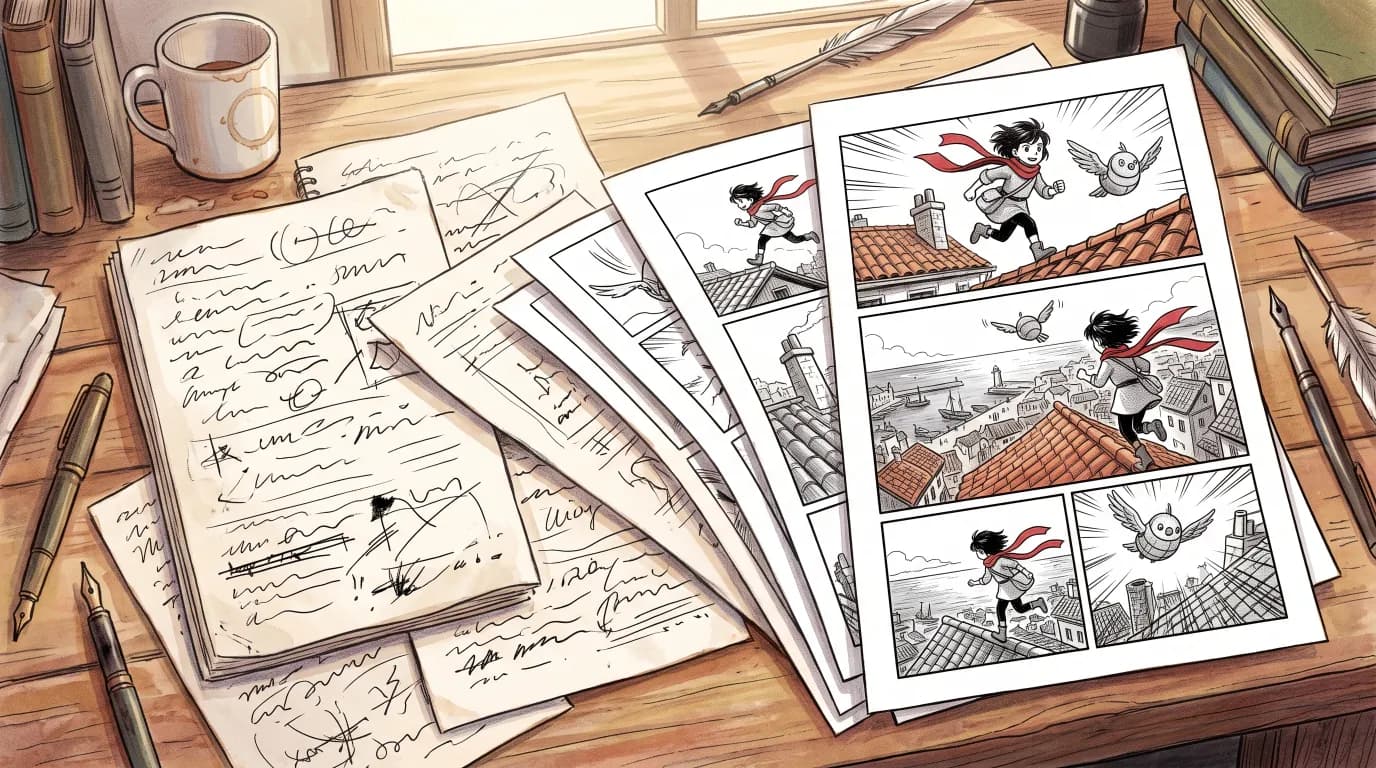
Type a story, get a manga: that is the promise of every AI manga generator. Getting one striking picture out of an image model is easy now. Getting a chapter, where the same characters appear on every page, the panels read in order and the dialogue can still be edited, is a different job. This guide explains what an AI manga generator actually does, what to check before you pick one, and walks through a real text-to-manga example in MangaMade, from a short brief to a lettered page.
What an AI manga generator does
Making a manga page by hand takes several crafts: writing a script, breaking it into panels, designing characters, drawing, inking, toning and lettering. An AI manga generator automates the drawing and helps with the planning, and the good ones leave the decisions with you. In practice, the work splits into four jobs:
- Planning: a language model turns your story into a script of pages and panels, each with a shot, a setting, the characters present and their lines.
- Drawing: an image model draws each panel from that script, in one art style, against references of the characters so they stay recognisable.
- Layout: the panels are placed on pages in the reading direction of the format, right to left for manga, left to right for comics and manhua, or as one vertical strip for webtoons.
- Lettering: dialogue, captions and sound effects are set in balloons and boxes on top of the art.
Image generator or manga generator?
A general image generator can draw a panel that looks like manga. What it cannot do on its own is remember. Each picture starts from a fresh prompt, so the hero’s hair, scarf and face drift from one panel to the next, and any words it paints into the picture come out misspelled and impossible to fix without redrawing. You also have to arrange the panels into pages yourself.
A manga generator is built around the chapter instead of the picture. It keeps a model sheet for each character and draws every panel against it, it lays panels out on real pages, and it keeps the words on their own layer. That last point matters more than it seems: when dialogue is part of the drawing, a typo or a translation means paying for a new picture.
What to look for before you choose
Whatever tool you try, a few questions sort the toys from the tools:
- Character consistency: are panels drawn against a reference of each character, or only from a text prompt?
- Reading direction: can pages read right to left for manga, with mirrored layouts and balloons placed in the same order?
- Editable lettering: can you move, rewrite and resize balloons after the art is drawn, without paying again?
- Languages: which languages can it letter, and does it set right-to-left scripts such as Arabic correctly?
- Exports: can you get pages as PNG, a PDF, a CBZ for comic reader apps, or a vertical strip for scrolling platforms?
- Cost before you spend: does it show the price before drawing, and return credits when a drawing fails?
- Ownership and rules: what do you own, and does it refuse to copy existing characters, franchises and real people?
From text to manga: a worked example
Here is the whole path in MangaMade for a single page. The story: a young courier delivers a parcel to an old lighthouse keeper on a stormy night, and what is inside surprises him. The brief needs only a few sentences; it does not have to be written as a script.
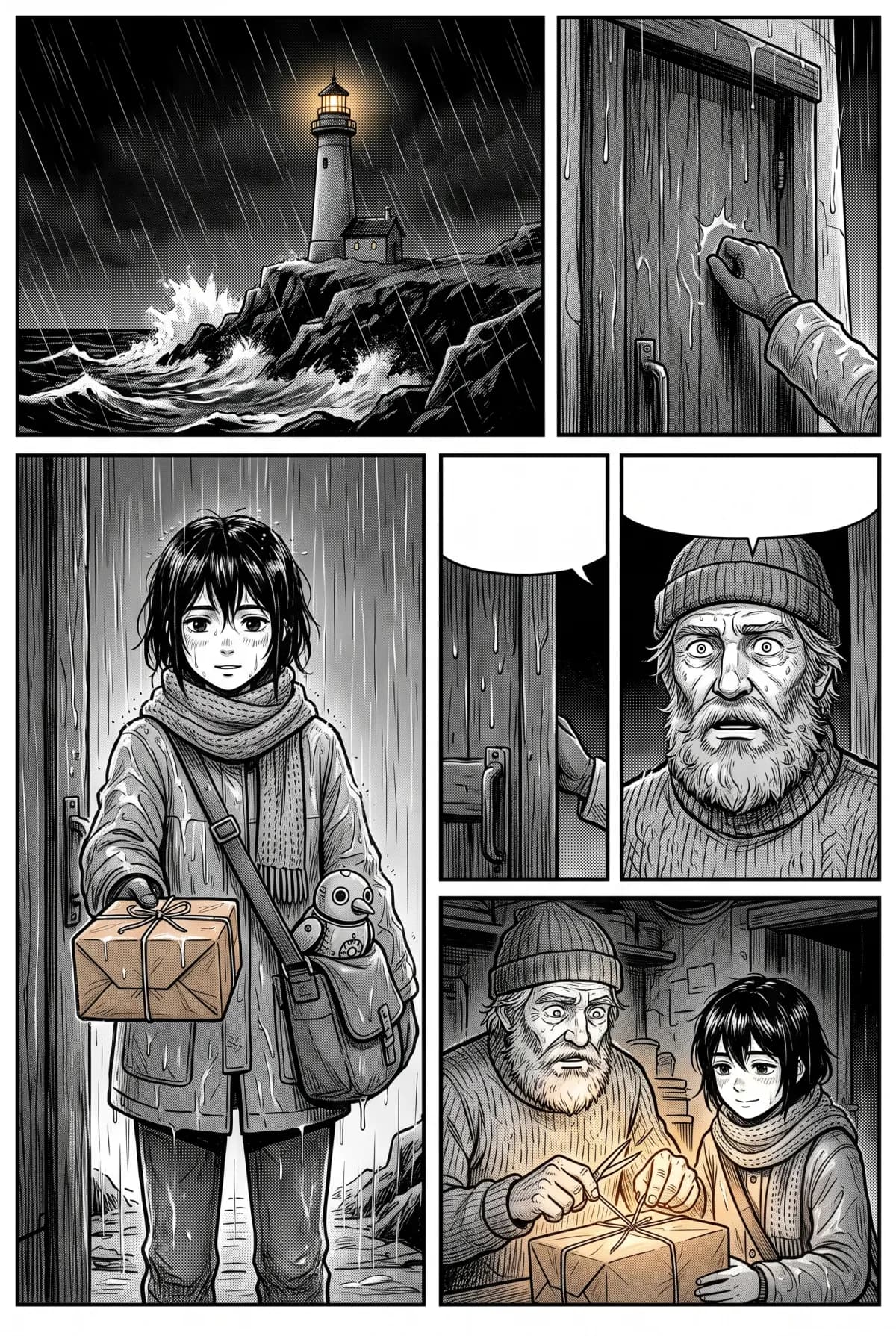
- Start a series: pick the manga format, the Manga ink style, the dialogue language and an age rating, then describe the premise, setting and tone. This costs nothing.
- Add the cast: the courier and the keeper, each with a short description and an appearance in English, such as age, build, hair, outfit and one distinguishing mark.
- Draw the style reference for 1 credit, then a model sheet for each character for 2 credits each: a turnaround and four expressions that every panel copies.
- Write the brief and ask for one page. The planner returns a script in a minute or two: five panels, from an establishing shot of the lighthouse in the rain to a close-up as the parcel opens, with dialogue for each.
- Edit anything you like, then draw the five panels for 1 credit each. They arrive without any text, in the series style.
- Open the page in the editor: balloons, captions and sound effects are already placed from the script, and you can move, rewrite or restyle any of them.
Total for this first page: 5 panels, two model sheets and a style reference, so 10 credits. A new account starts with 15 free credits, valid for 30 days, with no card required. The next page of the same series costs only its panels, because the sheets and the style reference are reused by every chapter.
Styles and formats
The same story can look very different. MangaMade has ten style presets, described in plain words rather than borrowed from any studio or artist: black-and-white styles such as Manga ink, Action ink, Soft romance, Realist ink, Noir and Pencil sketch, and colour styles such as Painted colour, Flat colour, Chibi and Watercolour. Any style works with any format, so a manga in colour or a webtoon in ink is a choice, not a workaround.
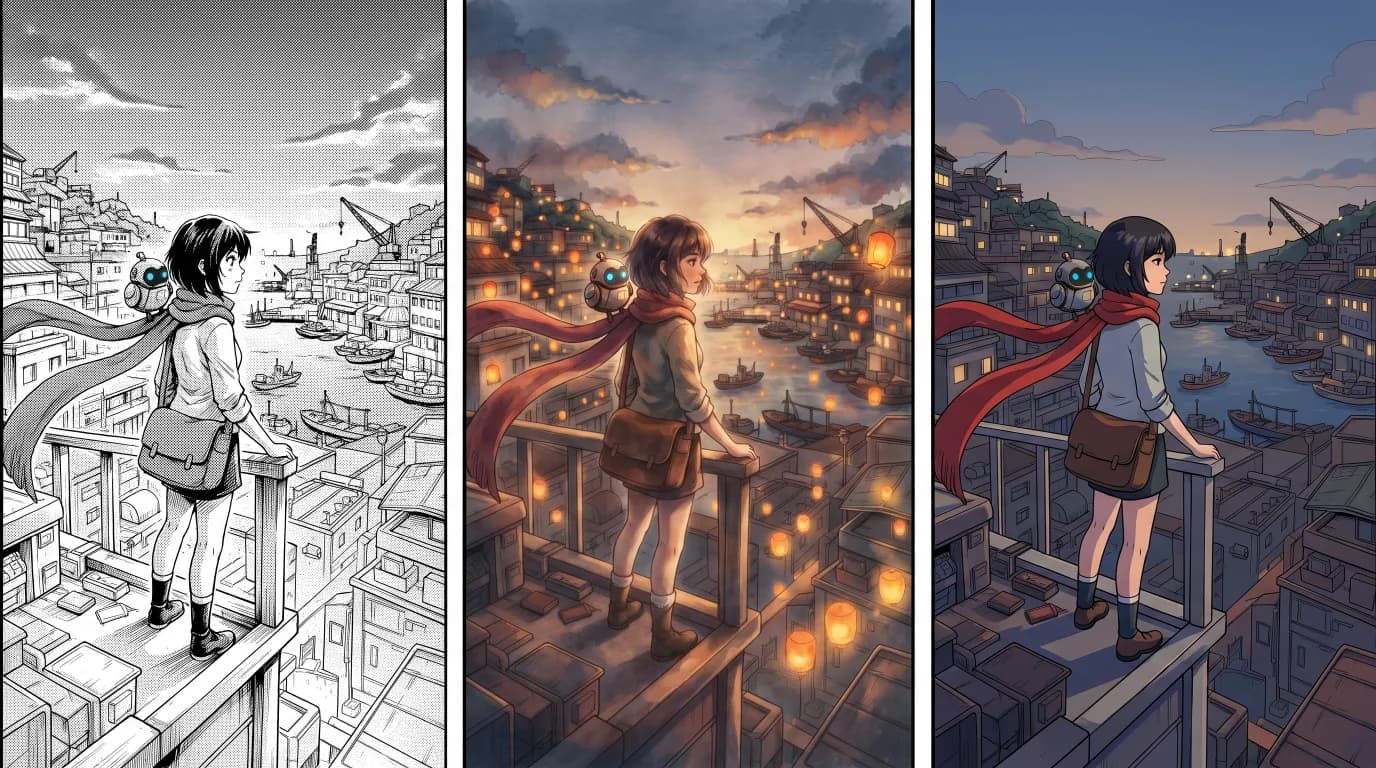
The format, chosen once per series, decides how the pages read: manga pages right to left, comic and manhua pages left to right, and webtoons as one strip read by scrolling. Page layouts, the order in which balloons are placed and the exports all follow it.
What a text-to-manga chapter costs
Credits pay for drawings only: 1 per panel at 1K, 2 for a one-panel splash page at 2K, 2 per character model sheet and 1 for the series’ style reference. Planning the script, editing it, lettering, translating the chapter into another language and exporting it cost nothing, and a drawing that fails returns its credit. A first chapter of 8 pages and 40 panels, with two characters and five redraws, comes to 50 credits; the next one of the same size to 45.
Limits worth knowing
An AI manga generator drafts quickly, but it is not a mind reader, and some limits are deliberate:
- Panels can drift. References reduce it; a redraw with a short note, such as “scarf on the left shoulder, as on the sheet”, fixes the rest for the price of the panel.
- Original characters only. Names of existing characters, franchises and real, identifiable people are refused, and no style is named after a studio or artist.
- Lettering covers about thirty languages written in the Latin alphabet, plus Arabic, Urdu and Japanese. Chinese and Korean lettering are not supported yet.
- MangaMade does not publish for you. You export the chapter and upload it wherever your readers are, or share a read-only link.
The best way to judge any generator is to make one page with it. Write three sentences of story, add two characters, and see whether the result reads like a page of manga or like a pile of pictures.
Questions this answers
- Is there a free AI manga generator?
- MangaMade gives every new account 15 free credits, valid for 30 days, with no card required. That covers a style reference, two character model sheets and a first page of five panels, with lettering and exports included.
- Can AI turn my story into a manga?
- Yes. You write a brief in plain prose, and the planner turns it into a script of pages and panels with dialogue. You can edit every line before anything is drawn, then the panels are drawn and lettered.
- How do I keep the same character in every panel?
- Give each character a model sheet, a turnaround with four expressions, and draw every panel against it. MangaMade also passes the series’ style reference and an earlier panel of the same scene, and you can redraw a panel that drifts with a short note.
- Does the AI write the text inside the panels?
- No. Panels are drawn without any text. Dialogue, captions and sound effects sit on a separate lettering layer, so you can fix a typo or translate a chapter without redrawing anything.
- Who owns a manga created with an AI generator?
- As between you and MangaMade, what you make is yours to the extent the law allows, commercial use included. Copyright in purely machine-drawn images is unsettled and differs by country, while your story, script, dialogue, page arrangement and lettering are clearly your own contribution.
Make your next chapter
Turn your story into lettered pages: model sheets for your cast, AI-drawn panels and exports in PNG, PDF, CBZ or webtoon.
Start freeKeep reading
- Manga panel layout: how to storyboard a page that reads
- How to make a webtoon: a step-by-step guide for beginners
- How to make a manga chapter with AI, step by step
- How to keep characters consistent across panels
- Manga vs manhua vs webtoon: formats and reading direction
- Speech balloons and lettering basics for manga and comics
- How to export a comic for vertical scroll and for print
- AI art and copyright: what you own when you make comics with AI