Blog
How to turn your novel into a manga after a November writing challenge
How to adapt a novel chapter into manga pages after a November writing challenge, from choosing the scene to importing your PDF and drawing it.
Published November 9, 2026 · 6 min read
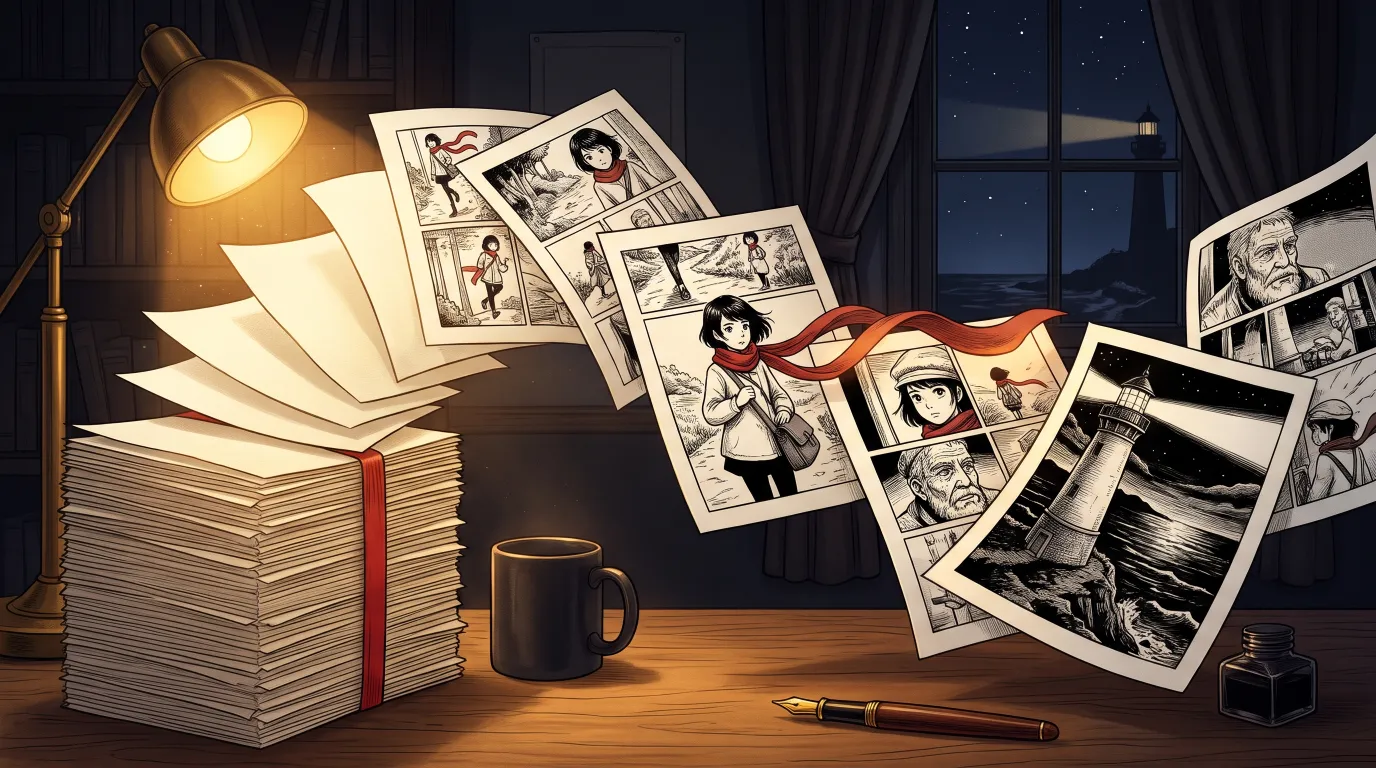
November is the month thousands of people try to write a novel. The best-known challenge closed in 2025, but volunteers and writing companies now run several free ones, all from 1 to 30 November, most with the classic goal of 50,000 words. If you are in one, you will soon own something rare: a whole story, finished or nearly. This guide shows how to turn a chapter of it into manga pages, what to change on the way, and what it costs in MangaMade, with one passage followed from prose to a lettered page.
Finish the words first
Keep the two projects apart. A writing challenge is about your own words, and at least one of this year’s challenges disqualifies books generated with AI, so check the rules of yours and write the draft yourself. An adaptation is a separate project you start afterwards. It also goes better that way: you know how the story ends, so you know which early details matter and which can go.
Choose what to adapt first
Do not begin with the whole book. A 50,000-word novel is far more than one chapter of manga can hold, and most prose does not need a picture for every sentence. Pick one chapter or one scene that does the following:
- It introduces your hero through something they do, not something the narrator says about them.
- It happens in one or two places, so the reader is not lost and the setting stays consistent.
- It has a turn: someone arrives, something breaks, a secret comes out.
- It ends on a question that makes people want the next page.
What changes between prose and manga
A novel tells; a manga shows and then gets out of the way. Most of the work of adaptation is deciding what stops being words.
- Description becomes the drawing. A paragraph about a storm on a cliff is one wide panel.
- Narration shrinks to a caption or two, kept for what a picture cannot say, such as how long something has been going on.
- Inner thoughts become a look, a pause or a thought balloon. Use few of them.
- Long speeches are cut into short lines. MangaMade allows up to three lines of dialogue per panel, and fewer read better.
- Time is controlled by panel size: a big panel is a held breath, a run of small ones is speed.
Do not expect a page of manga to match a page of prose. Whole paragraphs can vanish into one drawing, while a single line, such as a glance across a room, may deserve a panel of its own. Read your scene aloud and mark the moments you would film.
One passage, followed all the way
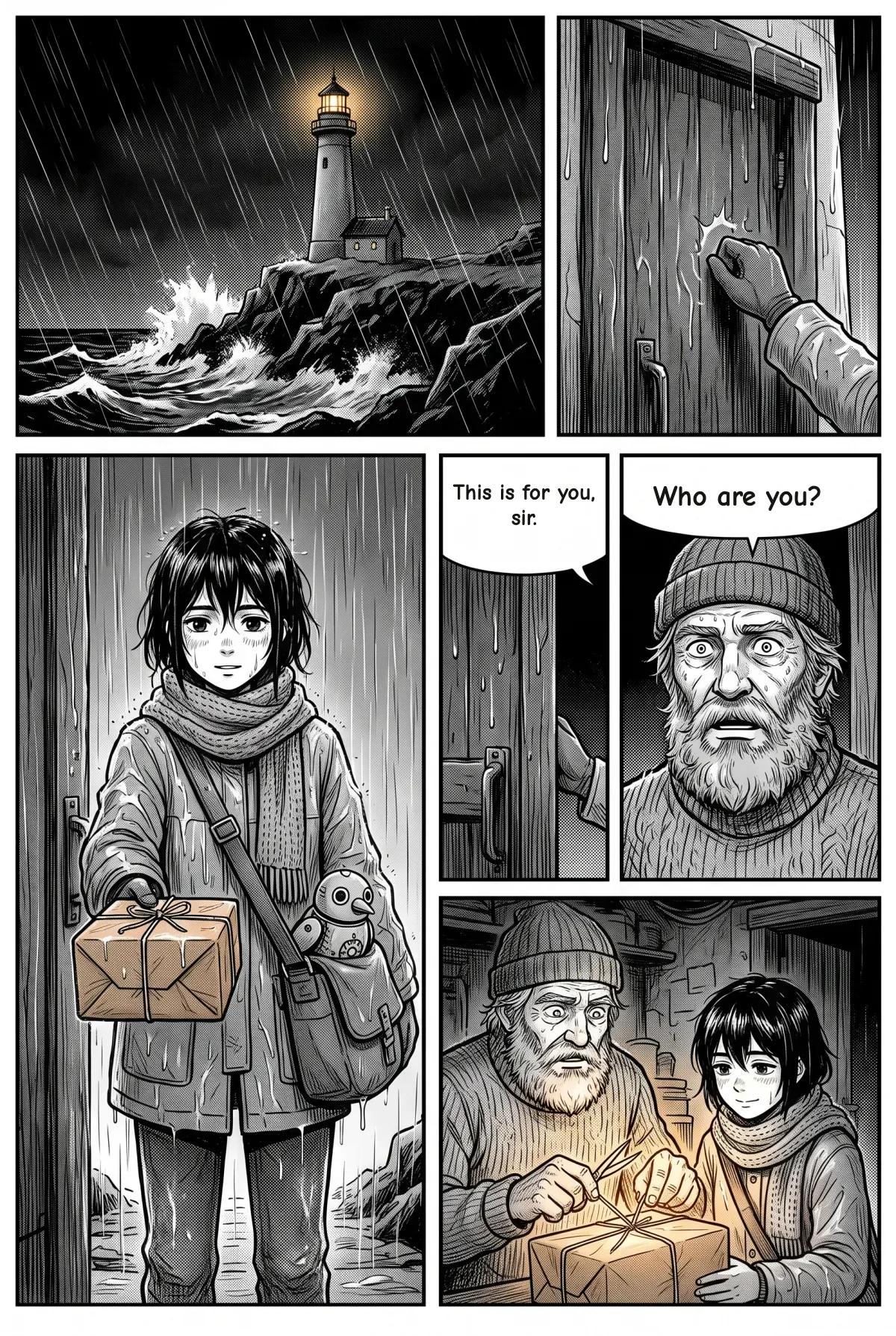
Here is a short passage from an invented novel, and the script it becomes. Five sentences make five panels, and only one line of the narration survives as a caption.
The storm had been at the cliff for three days when the knock came.
  Panel 1, establishing: lighthouse on a cliff, night storm.
  Panel 2, close-up: a fist knocks on a heavy door.

Old Tomas opened the door on a girl soaked to the bone, a parcel held out in both hands.
  Panel 3, medium: Mira, drenched, holds out a parcel.

He stared at her. Nobody had climbed to the lighthouse in eleven years.
  Panel 4, close-up: Tomas, stunned.
  Caption: Nobody had climbed here in eleven years.

Inside the paper, something began to glow.
  Panel 5, medium: the parcel opens, light on both faces.
From manuscript to chapter in MangaMade
- Start a series: pick a format and a style, then write the premise, the setting and the tone from what your novel already knows.
- Add the cast: everyone who appears more than once, with an appearance written in English as things a camera can see.
- Draw the style reference and a model sheet for each character, so every panel of the book matches them.
- Create a chapter and paste your text as the brief, or choose Import a PDF.
- Set a target length and let the planner write the script, then edit any page, panel or line before anything is drawn.
- Draw the panels, redraw any that miss with a short note, and adjust the lettering in the editor.
Two details matter for novelists. The brief holds up to 12,000 characters, so a long chapter should be split in two or summarised; if a PDF runs over, MangaMade keeps what fits, ends at the last complete paragraph or sentence it can and tells you how much came in. PDF import reads the text layer in your browser, so a scanned book with no text cannot be read, and nothing is uploaded. And if you already know how you want a page cut, say so: a brief that numbers its own panels keeps that split, panel by panel.
What it costs
Planning the script, editing it, lettering and exporting are free; only drawings use credits, at 1 per panel at 1K, 2 for a one-panel splash page at 2K, 2 per character model sheet and 1 for the series’ style reference. A first chapter of 8 pages and 40 panels, with two characters and five redraws, comes to 50 credits, and the next one of the same size to 45. A new account starts with 15 free credits, valid for 30 days, which is enough to test your opening scene before you decide anything.
Before you share it
- Read the page without your novel in your head. If something only makes sense because you know the book, add a panel or a caption.
- Keep your characters original: nothing borrowed from other people’s series, and no real, identifiable people.
- Say that the art is made with AI when you publish, and check the rules of the place you publish in.
- If you sold or plan to sell the novel, check that your contract leaves you the right to adapt it.
A manga chapter is also a good way to find out whether your story works for readers. Show someone the first eight pages over the holidays, while the draft rests, and watch where they stop to ask a question.
Questions this answers
- Can I turn my novel into a manga with AI?
- Yes. In MangaMade you paste a chapter or import a PDF as the brief, a planner writes a script of pages and panels that you can edit, and an image model draws the panels against your characters’ model sheets.
- How much of a novel fits in one manga chapter?
- A MangaMade brief holds up to 12,000 characters and a chapter runs from 1 to 24 pages. Adapt one chapter or scene at a time, and expect to cut most description, since the drawing replaces it.
- Can I upload my manuscript as a PDF?
- Yes, up to 20 MB. The text layer is read in your browser and nothing is uploaded. Scanned PDFs without a text layer cannot be read, so paste the text instead.
- Is using AI allowed in November writing challenges?
- It depends on the challenge. At least one disqualifies books generated with AI, while others leave it to you. Write the draft under your challenge’s rules and treat the manga as a separate project afterwards.
Make your next chapter
Turn your story into lettered pages: model sheets for your cast, AI-drawn panels and exports in PNG, PDF, CBZ or webtoon.
Start freeKeep reading
- EU AI Act labelling and AI comics: what 2 December 2026 changes
- How to make a manga as a Christmas gift, with a story only they would get
- Black Friday 2026 for comic creators: how to judge AI deals and promote your comic
- How to translate your manga or webtoon with AI, without redrawing it
- Make manga with an AI agent: the MangaMade MCP server and API
- AI character consistency in 2026: how reference images keep a cast on model
- Manga panel layout: how to storyboard a page that reads
- How to make a webtoon: a step-by-step guide for beginners
- How to make a manga chapter with AI, step by step
- How to keep characters consistent across panels
- Manga vs manhua vs webtoon: formats and reading direction
- Speech balloons and lettering basics for manga and comics
- How to export a comic for vertical scroll and for print
- AI art and copyright: what you own when you make comics with AI
- AI manga generator: how to turn text into manga pages