Blog
How to translate your manga or webtoon with AI, without redrawing it
Publish your comic in other languages: how AI translation of the script works, why the art never changes, and what to check before you export.
Published October 22, 2026 · 6 min read
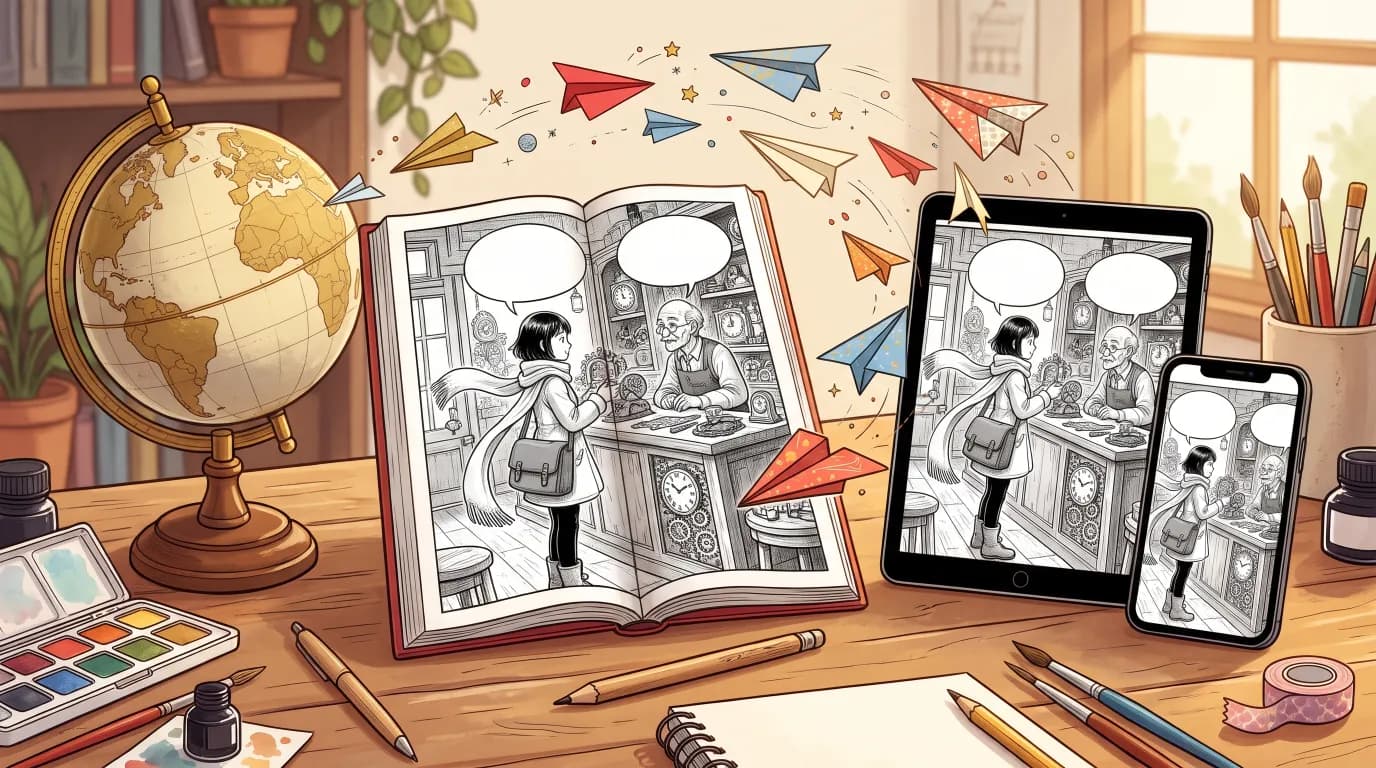
AI manga translation is one of the fastest-growing uses of AI in comics. Most of it is about reading: tools that scan a page, erase the text and paste a translation over the art. Creators have a better option when they control the source. If your dialogue never touched the drawing in the first place, translating a chapter is a matter of words, and the result can look as if it had been lettered in that language from the start. Here is how that works in MangaMade, with one panel in four languages.
Why translating comics is usually hard
In a finished comic page, the words are pixels. To translate it you have to clean the original text out of every balloon, rebuild the art underneath where the text overlapped it, fit a longer or shorter sentence into the same shape and redraw the sound effects that are painted into the scene. Right-to-left languages add a layer: balloons are read in the other order, and text has to flow the other way. That is why fan and professional translation alike take days per chapter.
How translated editions work in MangaMade
MangaMade draws every panel without any text. Dialogue, captions and sound effects live in the chapter script and are lettered on a separate layer above the art. A translation therefore never touches a picture:
- Open a chapter whose panels are drawn the way you want them, and choose a language for a new edition.
- A language model translates the lettering of the script: every dialogue line, caption and sound effect.
- MangaMade creates the edition as a new chapter linked to the original, with the same pages and the same drawings, and letters every balloon again in the new language with that language’s fonts.
- You review it in the editor like any chapter: move a balloon, rewrite a line, then export it or share it.
An edition costs no credits, because nothing is drawn. It counts against the same daily planning limit as writing a chapter script, and a chapter can have one edition per language.
One panel, four languages
Here is a single panel from a sample series: a courier hands a ticking parcel to an old clockmaker. The drawing is the same in all four editions; only the lettering layer changes.
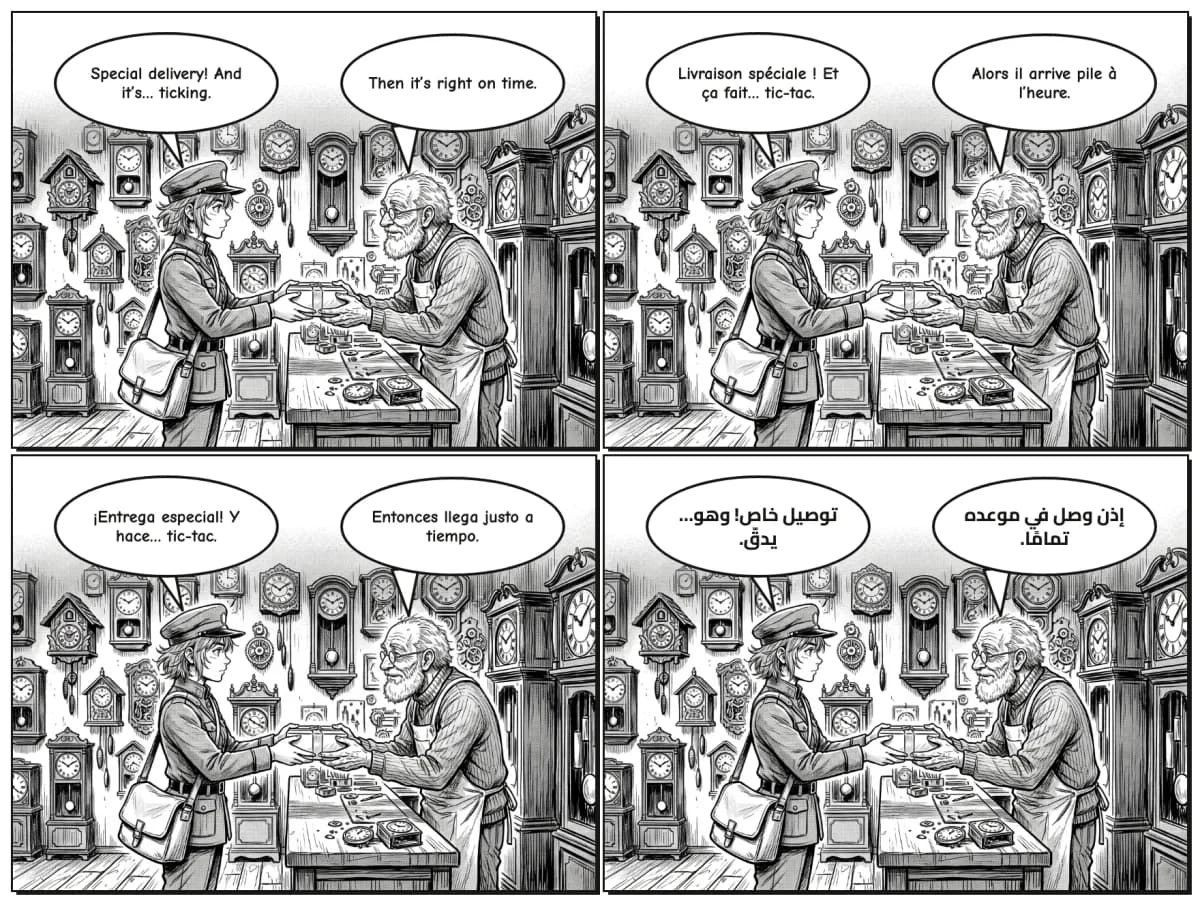
en  Special delivery! And it’s… ticking.  /  Then it’s right on time.
fr  Livraison spéciale ! Et ça fait… tic-tac.  /  Alors il arrive pile à l’heure.
es  ¡Entrega especial! Y hace… tic-tac.  /  Entonces llega justo a tiempo.
ar  توصيل خاص! وهو… يدقّ.  /  إذن وصل في موعده تمامًا.
Notice what the translation does not do: it does not change the joke into something longer, it does not rename anyone, and the tick of the clock becomes the sound a reader of that language expects.
The rules the translator follows
- Every line comes back exactly once, in the same order, so no balloon is lost, merged or split.
- Dialogue sounds like people speaking the target language, about as long as the original so it fits the same balloon, and never more than 35 words.
- Captions read as narration in the target language.
- Sound effects become the onomatopoeia a comic in that language would letter, up to 40 characters.
- Names of characters and places stay as they are, and nothing is added.
Right to left, and other scripts
Arabic and Urdu editions are lettered right to left with Arabic-script fonts, and a balloon that mixes scripts takes the direction of the one it has more letters of, so a sound effect left in Latin letters still reads correctly. Japanese is lettered horizontally. About thirty languages written in the Latin alphabet are supported, including English, French, Spanish, Portuguese, German, Polish, Swedish, Indonesian and Swahili. Chinese and Korean lettering are not supported yet, because the bundled fonts do not cover them.
What to check before you publish
- Jokes and wordplay: a literal translation can be correct and still fall flat; rewrite the line in the editor.
- Tone of each character: a gruff old clockmaker should not sound like a teenager in the new language.
- Long lines: languages such as German or French run longer than English; shrink the text or widen the balloon where it feels crowded.
- Sound effects: make sure they match the scene and stay short enough to sit in the art.
- Reading order: in right-to-left editions, read each page from the top right and check that balloons follow.
A line you rewrite by hand keeps your wording. Each edition exports on its own as PNG pages, a PDF, a CBZ or a webtoon strip, and can be shared with its own read-only link. Developers can create editions too, with a POST to https://api.mangamade.com/api/v1/chapters/:id/translate and the target language.
A routine for launching in several languages
Publishing every chapter in three or four languages sounds like a second job. With editions it becomes a short routine you run after each chapter is final:
- Finish the original chapter first, lines included, because every later edit to the story is easier in one language than in four.
- Create one edition per language you publish in, and read each one in the editor while the chapter is fresh in your mind.
- Ask a fluent reader to check the jokes and the names of things, then fix those lines by hand.
- Export each edition in the format its readers use, such as a webtoon strip for one platform and a PDF or a CBZ for another.
- Post the editions on the same day, so readers in every language follow the story together.
Translate once the drawings are final: an edition copies the drawings the original shows at that moment, for no credits, so a panel you redraw in the original later does not change the editions you already made.
A word on rights
Translation is a right of the copyright holder. Translate your own comics, or comics you are licensed to localize. Running someone else’s published manga through a translator and sharing the result is not something MangaMade is for, and it is not legal in most countries without permission.
Questions this answers
- Can AI translate a manga?
- Yes, and it works best when the text is not part of the drawing. In MangaMade, a language model translates the chapter script and every page is re-lettered in the new language, while the drawings stay exactly the same.
- Does translating a chapter cost credits?
- No. A translated edition reuses every drawing, so no credits are spent. It counts against the daily planning limit, like writing a chapter script.
- Which languages can MangaMade translate a comic into?
- About thirty languages written in the Latin alphabet, plus Arabic and Urdu, lettered right to left, and Japanese, lettered horizontally. Chinese and Korean lettering are not supported yet.
- Can I edit the translation?
- Yes. An edition opens in the editor like any chapter: you can rewrite lines, resize balloons and move them. A line you rewrite by hand keeps your wording.
- Can I translate a manga I did not make?
- Only with the rights holder’s permission. Translation belongs to the copyright holder, so translate your own comics or work you are licensed to localize.
Make your next chapter
Turn your story into lettered pages: model sheets for your cast, AI-drawn panels and exports in PNG, PDF, CBZ or webtoon.
Start freeKeep reading
- Make manga with an AI agent: the MangaMade MCP server and API
- AI character consistency in 2026: how reference images keep a cast on model
- Manga panel layout: how to storyboard a page that reads
- How to make a webtoon: a step-by-step guide for beginners
- How to make a manga chapter with AI, step by step
- How to keep characters consistent across panels
- Manga vs manhua vs webtoon: formats and reading direction
- Speech balloons and lettering basics for manga and comics
- How to export a comic for vertical scroll and for print
- AI art and copyright: what you own when you make comics with AI
- AI manga generator: how to turn text into manga pages